
Happy New Year future self!
The start of this post rings a bell 🙂 it looks like building a new course environment during the Christmas break is becoming a tradition; here I am with the new one I’d like to use in the new intakes starting this year 2024 we’re kicking off.
I’m very excited about OSBDET 2024 Release 1 as I’ve managed to add what I planned some months back and that makes me feel really really good 🙂 more on this later.
But before going into what’s new in OSBDET, let me tell you a couple of things about this project if it’s the first time you’re hearing about it. Let me reuse what I already wrote last year:
- It’s a set of scripts helping you download and configure Big Data Open Source frameworks and tools in one single machine.
- I use it to build a course environment (virtual machine) for my students in a matter of minutes.
- It’s motivated after spending many days building a course environment back in time (Building an analytics and multi data-set OVA for learners) and realizing that I’d have to spend the same amount of time every time I wanted to build a new one.
- Not all my students have a strong technical background, therefore relying on complex commercial products is not an option; OSBDET rely on the same/similar technologies used by commercial products but in a very simplified manner which make it easier to study.
Those scripts, available in the OSBDET Github repo, are just part of the journey; I additionally build a couple of Debian GNU/Linux virtual machines making it even easier to use as, remember, they’re just starting their journey into Big Data technologies:
- OSBDET’24r1(amd64).ova (9.5GB) – a Virtual Box compatible Virtual Machine ready to be used on Intel processor based laptops (Windows and Mac OS mainly); it’s been tested on Virtual Box 7.0.4 on an Intel processor based Mac OS laptop running Ventura 13.1 (TBR).
- OSBDET’24r1(arm64).utm.zip (8.13GB) – a UTM compatible Virtual Machine ready to be used on Apple Silicon processor based laptops (Mac OS only); it’s been tested on UTM 4.4.4 on an Apple Silicon (M1) processor based Mac OS laptop running Sonoma 14.2.1
There are three main improvements that I’m really proud of:
- All the frameworks have been updated to the latest releases compatible with the labs of my courses (ex. Kafka 3.6.1 with KRaft, NiFi 1.24.0, Spark 3.5.0, …)
- I’ve brought OSBDET recipes back to live again; that was something I introduced some time ago as a way to easily modify or fix the course environment on the fly but, this time, I’m embracing them to extend the course environment to support more advanced features.
The first recipe I’ve introduced, and I’m really proud of, is the vscodetunnel recipe which allows connect any Visual Studio Code instance to OSBDET via Remote Tunnel. I’m planning to add a new blog post with the steps to take in order to come to something like this picture: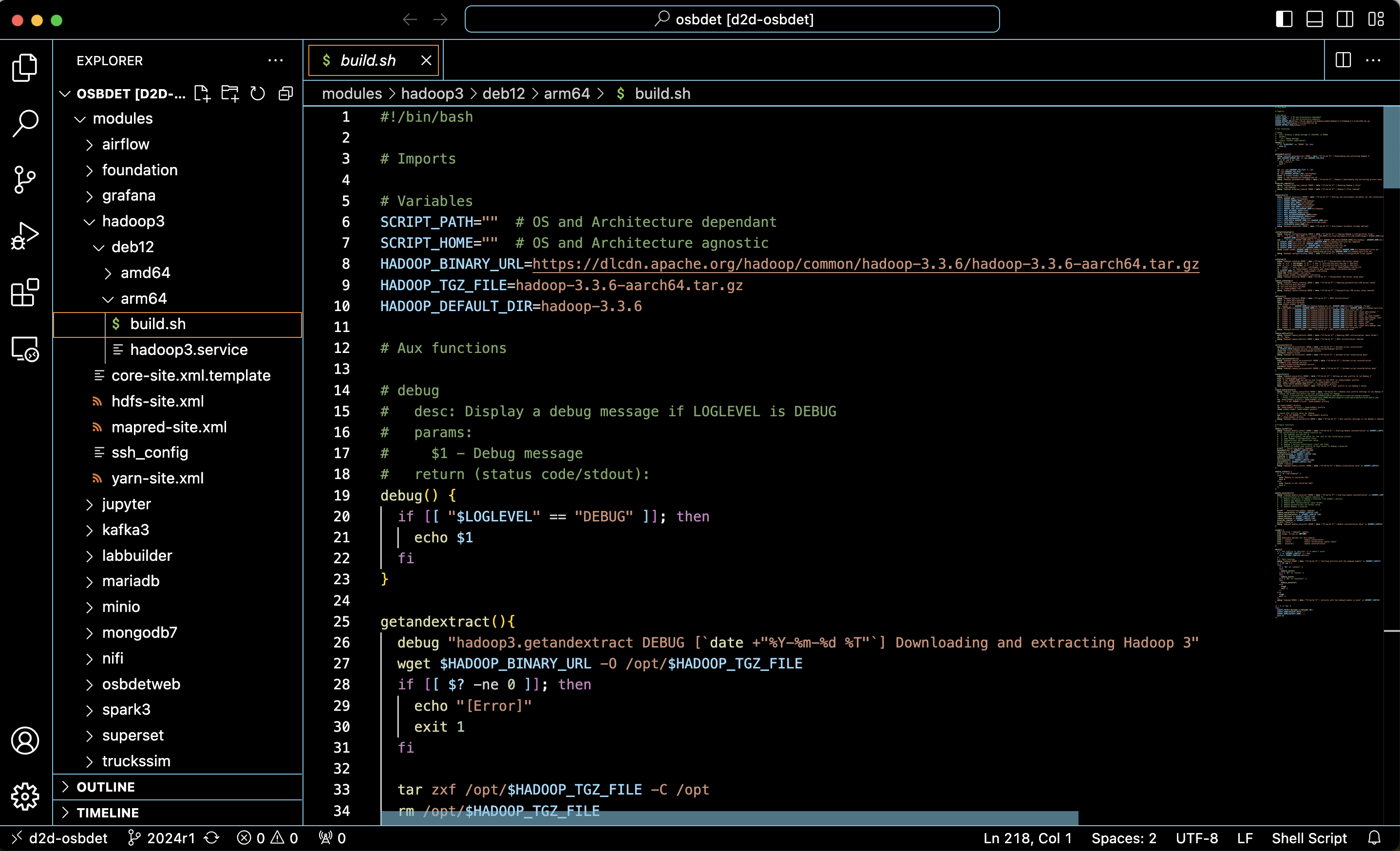
I’m sure this is going to make me much more efficient and will make this year 2024 a bit easier to me (fingers crossed 🙂 ) - The NGINX web server introduced in the previous release containing a static website describing the contents of the course environment and how to use them has been removed and replaced by Node.js 🙂 the static web site has been replaced by a Next.js Web App bringing much more advanced possibilities (ex. managing the tools and powering the course environment off without having to type a single command… how cool is that!)
It took me a while to understand this full-stack framework as it’s actually a bunch of integrated frameworks (ex. Tailwind CSS, React, …) to build very powerful and scalable web applications. A very interesting experience that I hope to develop further moving forward.
As a result, the former web site has been replaced by something like this available at http://localhost:2024: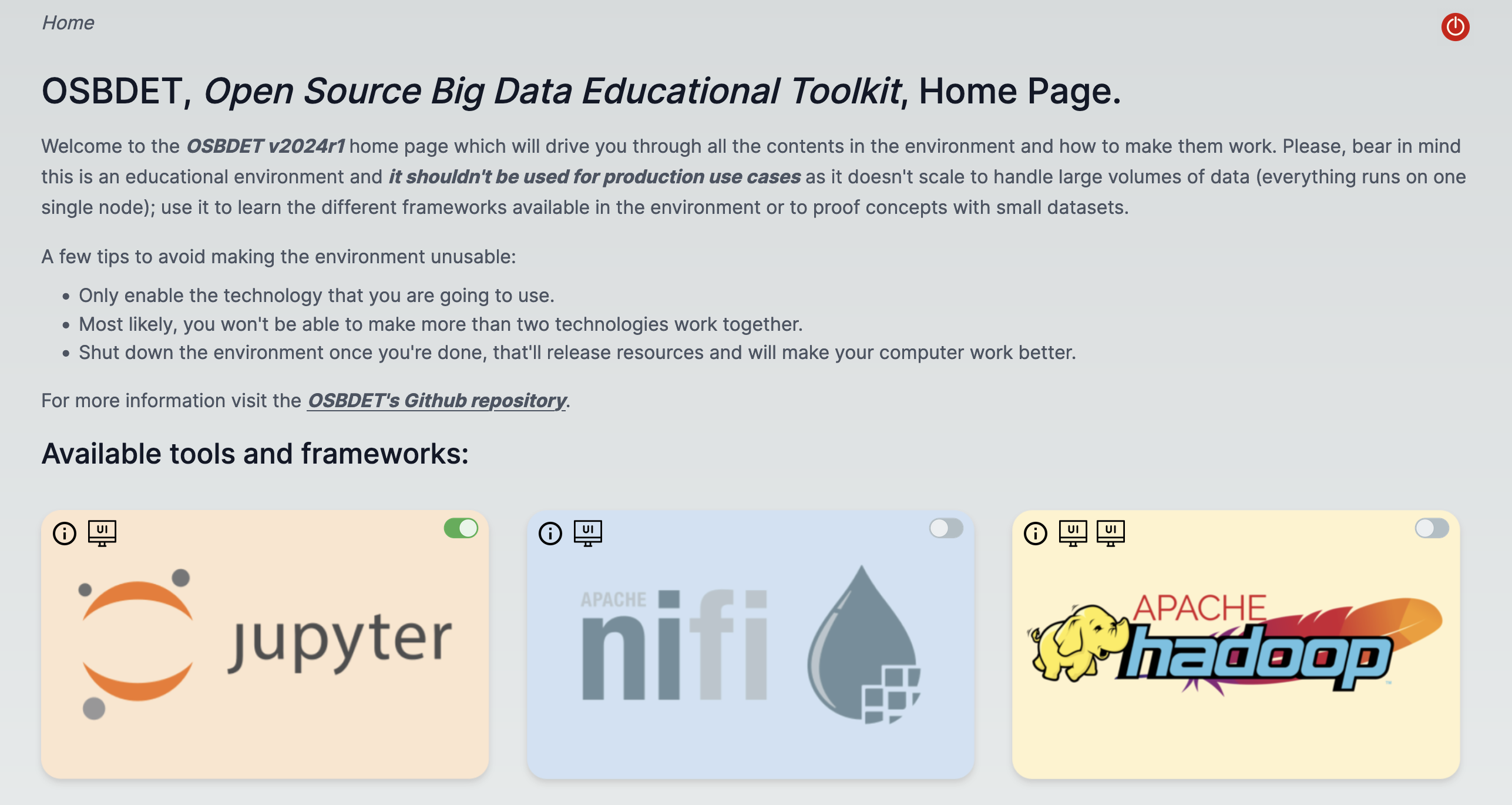
By the way, this new Web App is not part of the default installation but a recipe to install it on top. I’ve decided to move it away because there are still things to improve and I don’t want to make it part of the core installation. This might change in the future though.
As usual, here it is a quick recording going over the installation and first steps with OSBDET 2024 Release 1:
Enjoy it my friend!
Raúl
 Dear future self